Animation Creator: Flipbook 2D
CEM SOFTWARE LTDArt & Design
3.2743.00 Reviews
- Version
- 1.3.5
- Installs
- 1.00M
- Age Rating
- Everyone
Screenshots
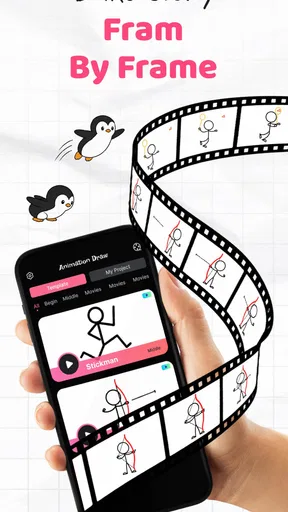
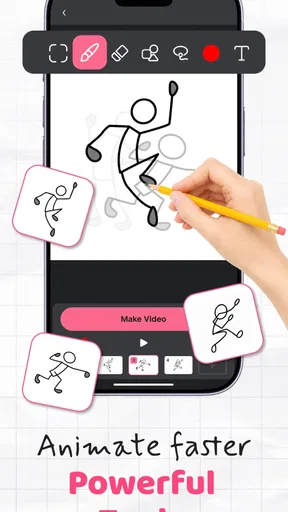
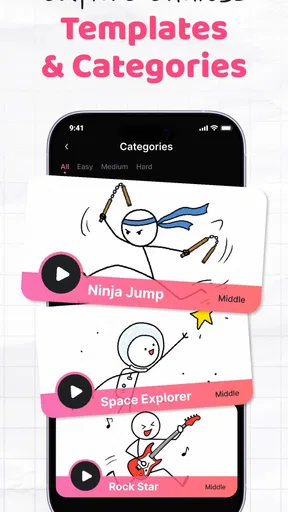
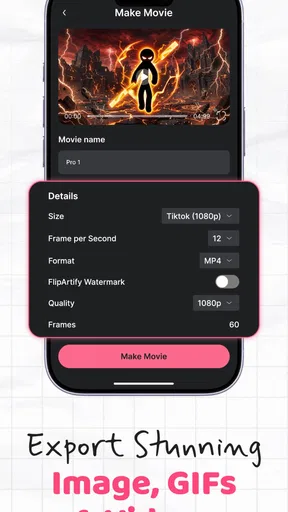
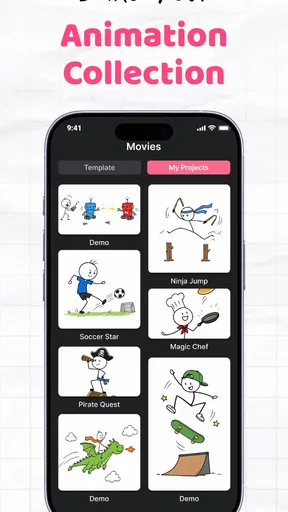
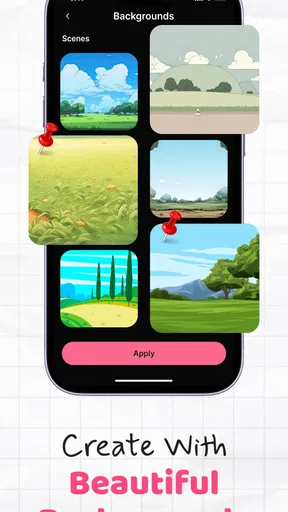
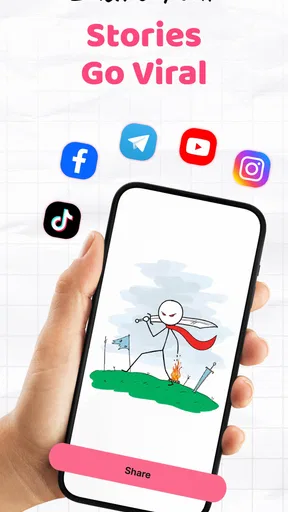
Our Review of Animation Creator: Flipbook 2D
 Analysis by Appyee
I opened Animation Creator: Flipbook 2D expecting a simple drawing toy, and that is largely what I found: an approachable art app built around making hand-drawn 2D animation one frame at a time. It is aimed at people who want to sketch movement, test a flipbook idea, or turn a rough visual joke into something that plays back. The first session is inviting because the basic concept is easy to understand, even if you have never animated before.
The more important question is what happens after that first burst of curiosity. In my experience, this app earns repeat use when you already enjoy drawing and can give yourself small, specific projects. It is less convincing as a complete animation studio or as a replacement for a polished illustration tool. I would recommend it to beginners, casual creators, students, and anyone who likes the physical feeling of building motion frame by frame, while experienced animators should approach it with more modest expectations.
What the first week feels like
The strongest part of the early experience is the low barrier to starting. Instead of asking me to learn a large production system, the app puts the focus on drawings and their order. That makes it suitable for a quick experiment: a blinking face, a bouncing object, a waving hand, or a short transition between two poses. Those tiny exercises are where the app feels most natural.
I also like the way a flipbook mindset changes how I draw. A still image encourages detail, but a sequence asks whether the pose reads clearly and whether the change from one frame to the next makes sense. Animation Creator: Flipbook 2D keeps attention on that relationship. The result can look rough, but roughness is not automatically a problem here. For learning timing and movement, a simple sketch often communicates more than an overworked frame.
The app is free to install, which makes experimenting easy. It is listed for Everyone and works on Android devices running version 8.0 or later. That broad compatibility matters for a beginner who may be using an older phone or tablet rather than dedicated creative hardware. The developer is CEM SOFTWARE LTD, and the current version is 1.3.5.
My practical advice for the first week is to avoid beginning with a full character animation. Start with an object that has one clear action. Draw a ball changing position, a candle flame leaning, or a simple arrow turning. Once the motion reads, add personality. This workflow exposes the app’s main strength: it lets you concentrate on the logic of movement before getting lost in decoration.
A useful habit is to make the first frame deliberately simple and use it as an anchor. When I tried to redraw every pose from memory, proportions drifted quickly. Keeping a strong opening pose in mind, or using a light rough version before cleaning the drawing, makes the sequence more coherent. This is the kind of small discipline that is not obvious from the short store description but makes a noticeable difference to the finished result.
The app also suits everyday, low-pressure situations. Imagine waiting for a friend at a café and wanting to turn a quick doodle into a tiny animation. You can sketch a cup tipping, a character checking a phone, or a message appearing letter by letter. That project does not need a perfect export pipeline or professional compositing. It needs an uncomplicated place to draw several connected moments, and this is where the app can be genuinely enjoyable.
Who will understand it quickly
People who already draw with their fingers or a stylus will probably settle in fastest. They can treat each frame as a small canvas and concentrate on keeping the important shapes consistent. Beginners can use it too, but they should expect the first results to look uneven. That is normal for frame-by-frame work, not necessarily a sign that the app is failing.
Parents and younger users may appreciate the Everyone rating and the direct creative premise. Still, I would not confuse an age rating with a promise of a guided course. Someone who has never thought about timing, spacing, or key poses may need to learn those ideas independently. The app gives a place to practice; it does not turn every first sketch into a finished cartoon.
It is also a reasonable choice for visual planning. I found the flipbook approach useful for testing a gesture before committing to a longer illustration. A designer could rough out how an icon changes state, while a comic artist could check whether a character’s movement feels readable. These are modest uses, but they are more sustainable than downloading the app only to make one novelty clip.
Where it differs from ordinary drawing apps
A standard drawing app is usually better when the goal is one polished image. It tends to offer more room for layers, detailed brush control, color treatment, and precise retouching. Animation Creator: Flipbook 2D makes a different trade-off by placing sequential images at the center. If you need a poster, painting, or finished digital illustration, I would choose a dedicated drawing application instead.
Compared with a full animation package, this app is easier to approach but less suitable for complex production. Professional tools commonly divide work into timelines, layers, scenes, audio, camera movement, and compositing. That larger structure is valuable for a long project, but it also creates a learning burden. This app is more appealing when the animation is short, hand-drawn, and built around a clear visual idea rather than a complete production pipeline.
That distinction helps explain its audience. It is not trying to be everything for everyone. Its best role is a lightweight sketchbook for motion. If your priority is speed of experimentation, its simplicity is an advantage. If your priority is control over every technical stage, simplicity becomes the limitation.
What keeps it useful after the novelty
I find its lasting usefulness depends on whether I can make the frame-by-frame routine fit the way I draw, not on how polished a first test looks. In this section, I’ll consider how readable the workflow feels and what practical adjustments might make it easier to return to. That leads naturally to the question of how different abilities and everyday settings affect the experience.
Small projects create more lasting value
The app has recurring value when I use it as a practice tool rather than a one-time effect generator. A short daily exercise can teach more than an ambitious project abandoned halfway through. I would rather make a few seconds of readable motion several times than spend a weekend drawing a complicated scene that becomes difficult to manage.
One especially useful workflow is to separate rough movement from clean drawing. First, I block out the major poses with quick marks. Then I review whether the action is understandable before spending time on details. Only after the rhythm works do I refine the frames. This prevents a common frustration: producing attractive individual drawings that do not connect convincingly when played in sequence.
Another worthwhile use is visual note-taking. I can capture how a gesture unfolds instead of describing it in words. For example, a short sequence can show how a character turns, reaches, hesitates, and reacts. That makes the app valuable to someone developing a comic, storyboard, or personal animation language, even if the final work will later be completed elsewhere.
The app has reached over a million installs and holds an average rating of 3.2 from around ten thousand ratings. Those figures suggest a sizeable audience but also a mixed experience. I would read that combination as a reason to test the workflow personally rather than assume that popularity guarantees a perfect fit. The app is easy to sample because the starting cost is free, but the long-term value depends heavily on whether you enjoy hand-drawing repeated frames.
How to build a repeatable routine
For month-to-month use, I would create a small rotation of exercises. One week could focus on weight, such as a ball dropping and settling. Another could focus on anticipation, such as a character bending before jumping. A third could explore expressions or hand gestures. This gives the app a learning purpose and stops every session from becoming the same bouncing-object test.
I would also keep projects short enough to finish. Completion matters because it reveals problems that are invisible while drawing: a pause that lasts too long, a jump that lacks preparation, or a final pose that disappears too quickly. Finishing a small sequence gives me information I can carry into the next one. That is a better long-term loop than endlessly adding frames to an undefined idea.
For users who want to share their work, I would decide the destination before drawing. A private practice animation can be loose and experimental. A clip intended for friends or social posting needs clearer silhouettes and a stronger ending. Planning around the audience helps control effort, especially if the app’s workflow does not provide every finishing tool you would expect from a larger animation suite.
The maintenance burden is mostly creative
The biggest maintenance task is not technical housekeeping; it is keeping projects organized in your own mind. Frame-by-frame animation can become repetitive, and a sequence may lose direction when I keep adding drawings without checking the overall action. Regular playback reviews are essential. I would pause after a few frames, watch the motion, and remove anything that does not improve the idea.
There is also a time cost in consistency. If a character’s head, hands, or proportions change from frame to frame, the animation can feel accidental. A rough construction guide helps, but it requires patience. This is a trade-off rather than a defect: the app makes drawing accessible, while the creator still has to manage continuity.
In-app purchases range from $2.99 to $29.99 per item. That means the free entry point is useful for testing, but anyone considering paid additions should decide whether they solve a recurring need rather than simply extending the first-week excitement. I would spend only after completing a few small projects and identifying a specific limitation in my current workflow.
The app’s maintenance burden is therefore manageable for casual users but potentially tiring for people who want polished output quickly. Each new project asks for repeated drawing, review, correction, and patience. If that process feels satisfying, the repetition becomes practice. If it feels like tedious duplication, the app will probably lose its place on your device.
What can cause fatigue
The most obvious source of fatigue is redrawing. Even a simple movement may require many similar images, and the difference between “almost right” and “convincing” can demand several revisions. This is inherent to flipbook animation, but a lightweight app does not remove that workload. Anyone expecting automatic motion between two drawings will be disappointed.
Another issue is the gap between a rough animation and a finished one. The first playback can be exciting because movement appears where there was only a sketch. Later, the uneven lines, inconsistent scale, or awkward timing become more noticeable. The app is excellent at exposing those weaknesses, but that can make the middle stage feel less rewarding than the beginning.
I also think the limited premise can become restrictive for advanced users. Once I want detailed scene management, sophisticated editing, or a more elaborate production workflow, I start looking toward specialized animation software. That does not make this app poor; it means its lasting space is narrower. It works best as one tool in a creative process, not necessarily as the only tool.
There is a financial fatigue to consider as well. Since optional purchases are available, users should resist treating every missing convenience as a reason to buy immediately. A good test is to ask whether the same need has appeared across several completed projects. If it has, a purchase may be easier to justify. If it appears only because the first session feels exciting, waiting is wiser.
Questions worth answering before installing
Can a complete beginner use it? Yes, provided the beginner is willing to learn through simple exercises. The interface concept is approachable, but animation principles still matter. I would begin with a single action and accept rough results rather than trying to produce a finished character film immediately.
Is it better on a phone or tablet? The app can make sense on either, but the choice depends on how much drawing space you need. A phone is convenient for quick sketches and short experiments. A larger screen is more comfortable when repeated frame edits require precision. A stylus may also help, although the essential appeal remains the frame-by-frame workflow rather than specialized hardware.
Does it replace a professional animation program? In my judgment, no. It is better understood as a focused flipbook workspace. For learning, ideation, and short hand-drawn sequences, that focus is useful. For complex projects involving many production stages, a more comprehensive tool will be the better choice.
Is the free version enough to judge the app? It should be enough to decide whether the basic drawing-and-playback loop suits you. I would not make a buying decision based on the store summary alone. Spend time completing a small animation, reviewing it repeatedly, and seeing whether the process remains enjoyable after the initial reveal of movement.
Who should skip it? I would skip it if your main goal is polished static artwork, automatic animation, advanced editing, or a fast route from a rough idea to a finished professional clip. I would also avoid it if repeated manual drawing feels more like work than creative practice. A different category of app will serve those needs better.
My long-term verdict
The lasting value is in practicing motion, not collecting animated effects. Animation Creator: Flipbook 2D has a clear identity, and that helps it avoid becoming a confusing toolbox. It gives beginners a friendly way to see drawings move and gives experienced artists a lightweight place to block out ideas. Its free starting point, Everyone rating, and support for Android 8.0 or later make it easy to try.
At the same time, I would keep expectations realistic. The app does not remove the patience required by frame-by-frame animation, and its focused approach may feel narrow once a project grows. The mixed average rating of 3.2 is consistent with an app that will delight users who want this particular workflow while frustrating those who expected a full studio.
For me, it earns lasting space when I treat it as a small creative exercise: a place to test timing, record a gesture, or finish a short visual idea. It does not earn that space through novelty alone. If you can build a habit around manageable sequences and accept the manual work, it becomes a useful part of an animation practice. If you only want a quick automated result, the first week may be the best part of the experience.
My recommendation is to install it free, make three deliberately small animations, and judge how you feel during the revisions rather than the first playback. If the process makes you curious about the next movement, keep it. If repeated frames quickly become a chore, save your time for a more capable or more automated alternative. That is the honest dividing line for this particular art app.
Verdict
Strengths of Animation Creator: Flipbook 2D
- Intuitive frame-by-frame tools make it approachable for beginners.
- Onion-skin overlays help align drawings between frames.
- Supports custom canvas sizes for different animation projects.
- Useful drawing tools include layers, brushes, and color controls.
- Exports finished animations for easy sharing on social platforms.
Limitations of Animation Creator: Flipbook 2D
- Advanced features may require a paid upgrade or subscription.
- Large projects can consume considerable storage and device memory.
- Frame-by-frame drawing can become tedious for longer animations.
- The mobile workspace feels cramped on smaller phone screens.
- Export options may be limited compared with professional animation software.
Other Releases by CEM SOFTWARE LTD
View All
FlipArtify - 2D Draw Animation
Art & Design2.9
Similar Picks in This Category
View All
Canva: AI Photo & Video Editor
Canva4.8

PENUP – Drawing-sharing SNS
Samsung Electronics Co., Ltd.4.5

Crafto
Kutumb App4.6

Sketchbook
Sketchbook4.1

ibis Paint X
ibis inc.4.5

Adobe Express: AI Photo, Video
Adobe4.6
Frequently Asked Questions
What is Animation Creator: Flipbook 2D, and who is it designed for?
Animation Creator: Flipbook 2D is a mobile animation app for creating hand-drawn frame-by-frame cartoons, short clips, and simple visual stories. It is suitable for beginners, students, hobbyists, and more experienced artists who want to sketch and animate directly on a phone or tablet. The interface is generally easier to approach than professional desktop software, although creating polished animations still requires patience and practice.
What tools and features are available in Animation Creator: Flipbook 2D?
The app typically provides a frame-based workspace with drawing tools, an eraser, color controls, onion-skin or ghost-frame assistance, frame navigation, and playback for checking motion. Depending on the device and app version, users may also find options for adjusting frame timing, duplicating frames, managing animation projects, and exporting finished work. The available features can vary between free and paid versions.
Can beginners use Animation Creator: Flipbook 2D without previous animation experience?
Yes. Beginners can start by drawing simple movements one frame at a time and using playback to understand how each image connects to the next. Onion-skin guidance, when available, makes it easier to maintain consistent character positions and create smoother motion. However, users should expect a learning curve when working with timing, layers, detailed drawings, and longer sequences, so starting with short animations is recommended.
Can animations created in the app be saved or shared?
Animation Creator: Flipbook 2D is intended to let users save their projects and export or share completed animations, although the exact formats and sharing options may depend on the operating system, app version, and subscription or purchase status. Before beginning a large project, it is sensible to test a short animation and confirm where files are saved, which export formats are supported, and whether a watermark is applied.
Is Animation Creator: Flipbook 2D free to download, and are there in-app purchases?
The app may be available as a free download, but some tools, export options, project features, or an ad-free experience can require in-app purchases or a premium upgrade. Pricing and included features may differ between Android and iOS and can change over time. Users should review the store listing and purchase details before downloading, especially if they need advanced functions for school, client, or professional animation work.
